Hello everyone.
Problem solved, more details below.
Although I had no doubt that all the power supplies were really good, for some reason I checked a few, and their voltages were exactly within the norm. Then I took the short cable I made and brought a third computer that I hadn't connected to the CIP3 before and connected it with my cable. And everything worked, CIP3 worked great. After checking the two previously used computers using the "com port loop-back test" it turned out that all the com ports of both were burnt, but how and from what happened is still a puzzle to me. I suspected the cable earlier, but found nothing wrong with it.
So we pulled out the old cable from amour and inserted the new one, soldered the new connectors and I plugged it in an old computer with a burnt com port, but I connected via USB using the Prolific USB2Serial adapter and it showed up as COM3. But CIP3 did not worked, showed an error "unable to open port". Then I realized that during installation, CIP3 attaches itself to a first free com port, and tries to connect to it if it is not busy. Then I disabled all onboard com ports and changed the new COM3 (USB) to COM1. And everything started working fine as before, no more problems.
I still don't understand what happened to that cable and how the com ports got burnt. Those ports appear good in BIOS and Windows Hardware Manager, but in reality they are bad.
IMPORTANT. It should be kept in mind that that "serial" cable is not an ordinary purchased serial DB9 cable, but a special one, its scheme is in the wiring catalog. When connected with a simple purchased cable, it will not work.
Well, this kind of experience might be useful to someone.
Best wishes.




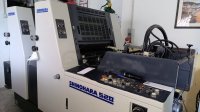
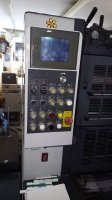


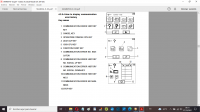

 .I checked all the cables - everything is fine. Everything works fine from the console in manual mode. I replaced the PC with a spare one which also worked fine before, no changes. It seems I've tried everything, I don't have any more thoughts. Any more ideas?