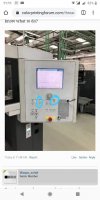
Problem With Heidelberg SM 102 4P

Bizegode

Member
Joined
2019
Posts
37
Geo
Cote d’ivoire
Hi, i have a problem with my SM 102 4P
When I turn on the machine on the main screen the machine displays a countdown, the time to load the files. Once the countdown is complete, the machine resumes the loading of the files indefinitely and then displays the image as an attachment. I have already tried to restart the logciel, restart the machine and even try to switch to the second disk. I am still stuck.
thank
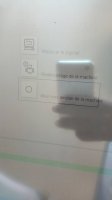
 

Attachments

  • WhatsApp Image 2019-10-29 at 08.57.46.jpeg
    WhatsApp Image 2019-10-29 at 08.57.46.jpeg
    20 KB · Views: 761
  • WhatsApp Image 2019-10-29 at 09.02.55.jpeg
    WhatsApp Image 2019-10-29 at 09.02.55.jpeg
    64.3 KB · Views: 782
Press the emergency stop on the delivery, see if the blue light starts to flash on the malfunction button, that way we'd know if the press itself is responding or not.
 
  • Thank you for the answer. Finally I made a reset at the computer. The machine works again but the reception adjustment screen remains frozen. Which means that I can not adjust the cleat. I have already tried a restart. Please do anyone know what to do?

    WhatsApp Image 2019-10-31 at 07.39.32.jpeg
     
    Pressing + - and paper run buttons together on the delivery console will bring up the screen calibration menu, try doing a recalibration of the screen if its not responding
     
    Thank you
    I tried the combination but no result. The screen is still frozen. Is there not a way to restart it?
     
    Were you able to open the Calibration menu using the method I described? When the calibration menu came up were you able to touch the targets and the did the touch screen respond to these calibration touches?
     
    I could not open the calibration menu using the method. The screen is still frozen
     
    Ok, can never be too sure, have you pressed the three buttons I have marked simultaneously?

    Secondly open up this box in which the screen is mounted, there should be an LN screw at the bottom to open it see if you can see a flashing led behind the screen, while looking at it press the screen and see if the flashing pattern changes.
     

    Attachments

    • IMG-20191031-WA0020.jpg
      IMG-20191031-WA0020.jpg
      61.6 KB · Views: 627
    Thank Waqas. Screen is good now. I have another problem
    When I have my inkwell group 2 that does not respond. When I open the diagnosis I have IDCB 1 IDCB 3 IDCB 4 but no IDCB 2. so that my inkwell does not react. Anyone know where the IDCB card is? I already looked at the control desk.
     
    Hi,

    Great to hear that your screen is working. The idcb boards are inside the black covers just underneath the ink ducts of each respective unit.

    There are two boards the idcb(the bigger one) and an ideb which is the smaller one, let me know if you see a green led on the idcb and a flashing orange.
     
    Hello
    I just received the iceb 2 board I mounted but it does not work. do you know the resetprocedure for the machine to take into account the board ?
     
  • Hi sir:
    Check this LED's in IDCB2 control board for Diagnosis :

    H1, green LED Meaning
    On Board voltages okay .

    H2, yellow LED Meaning
    Flashes >1 s Normal operation .

    H3, red LED Meaning
    Flickering CAN activity .

    In that way you make the troubleshooting.
     
    Forum posts represent the experience, opinion, and view of individual users. The Color Printing Forum does not necessarily endorse nor share the view of each individual post. When making any potentially dangerous or financial decision, always employ and consult appropriate professionals. Your circumstances or experience may be different.
    Back
    Top