ductor roller strip width

hiustw

Member
Joined
2017
Posts
83
Geo
Taiwan
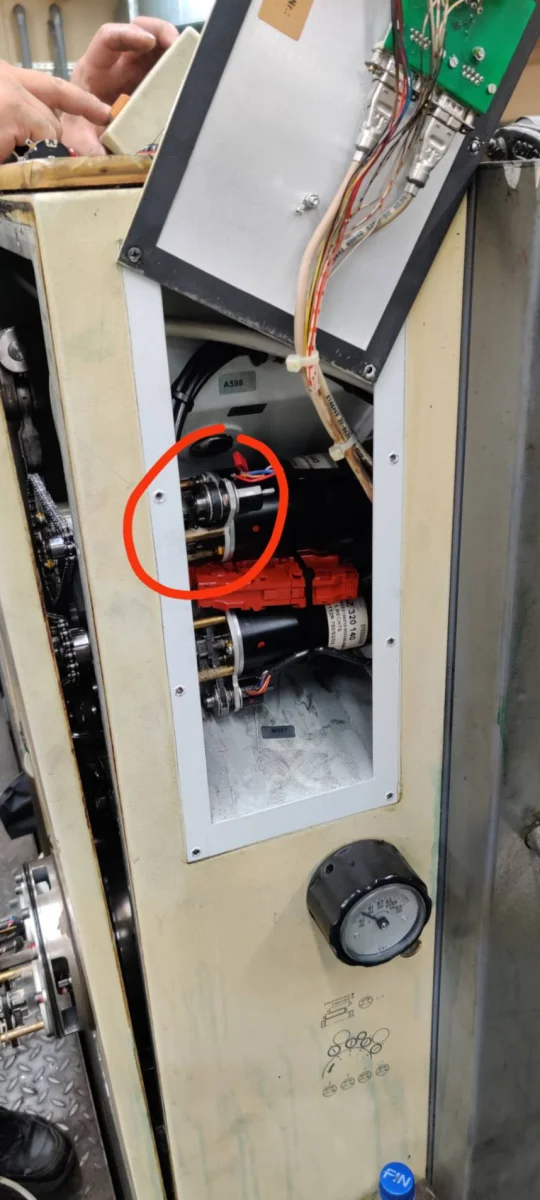
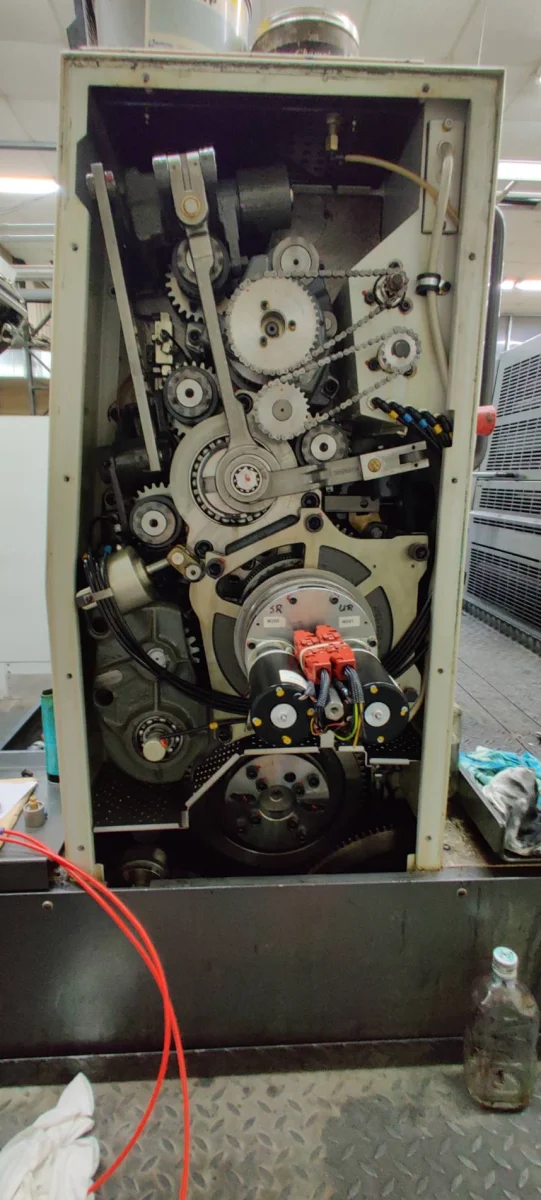
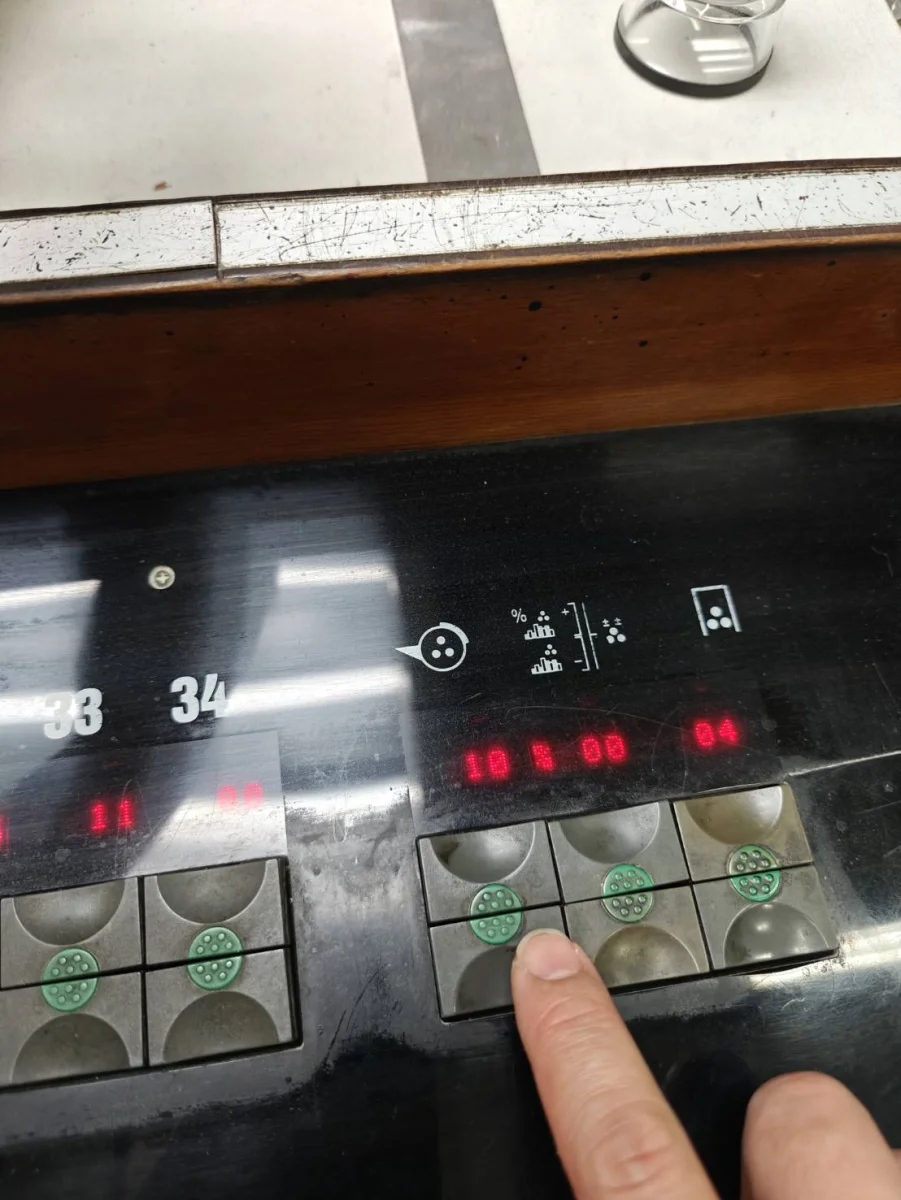
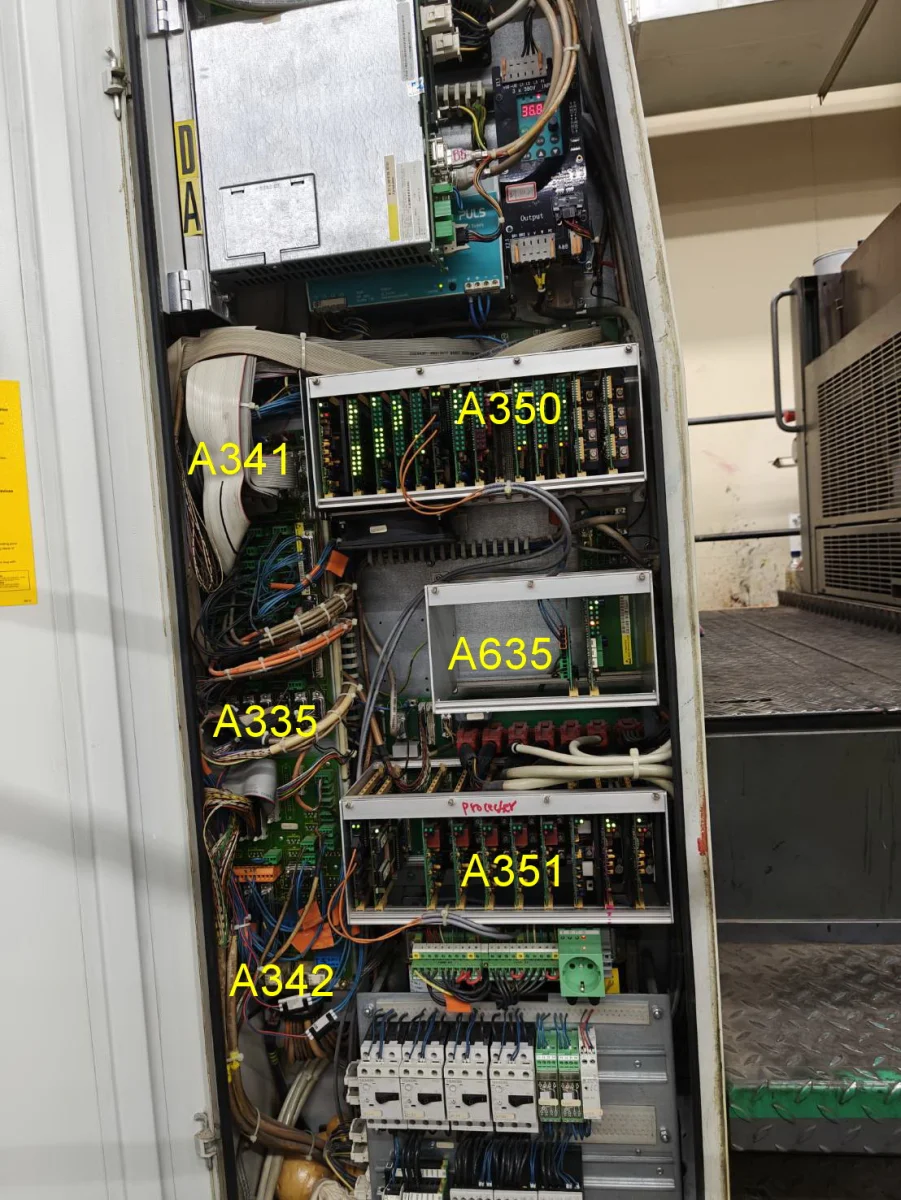
Hi everyone, could anyone help identify which board controls the ductor roller strip width in the attached picture? We've already replaced the 3-turn potentiometer and properly zeroed it, but the actual strip width still doesn't match the set value. We're hoping to try swapping out the board to see if that resolves the issue. Has anyone encountered this before?
01.webp
02.webp
03.webp
04.webp
 
Is the width of the web maintained when changing the speed. 3000, 5000, 8000 sheets/hour?
 
  • It has nothing to do with speed. The first print is always wider than the set value, and it returns to normal only on the second print.
     
    Dude, I'm not asking out of curiosity. Speed matters a lot.
    The inverter is controlled by A351 via RS485
     
    Sorry about that—I just took a closer look. It turns out that as the speed increases, the ductor roller strip width does return to normal. What could be causing this issue? I'm starting to suspect it might be that capacitor on the potentiometer.
    1793324154012.webp
     
    It's not the capacitor. You need to understand how it works first. This has been a Roland patent for 35 years. The speed of rotation of the ductor is constant when the speed of the machine changes. The width of the track is maintained by changing the angle of the two eccentrics. You have positioned the potentiometer incorrectly.
     
    Is my potentiometer in the wrong position? It was installed by a technician, and the other units appear to be installed in exactly the same way.

    How can I determine whether the potentiometer is incorrectly positioned? Could you please explain how to check and adjust it correctly?
     
    With a handheld terminal, set the ink transfer to 100%. (active mode) The markings on the two eccentrics must match. (must overlap 100%)
     

    Attachments

    • FTrAnst.webp
      FTrAnst.webp
      15.2 KB · Views: 28
    I am pretty sure the technician already checked that. I was watching right next to him. If what you mentioned has also been done, what else could the problem be? Going back to my initial question, is any circuit board on the A351 related to this?
     
    You haven't answered yet. 3000, 5000, 8000 sheets/hour the contact width is the same or not the same. The answer to this question is fundamental to the diagnosis.

    "Going back to my initial question, is any circuit board on the A351 related to this?"

    Replace the processor board (button board) with another printing unit.
    !!!!!Power OF !!!!!
     
    Sorry ~ I use a translator to express myself. Just this unit at 3,000, 5,000, and 8,000 sheets/hour, the contact width is different. The faster the speed, the more normal it becomes; it's completely normal at 8,000. Could you please use the previously sent picture to point out which part is the processor board (button board) for me?
     
    If the trace is not equal to 3,5,8k sheets per hour, it means that the potentiometer is not positioned correctly. Check. I wrote how to do it in the above post.
     
    Pay attention. The markers are as shown in the diagram above. They are cut into the eccentrics themselves, one opposite the other.
     
    It's not the capacitor. You need to understand how it works first. This has been a Roland patent for 35 years. The speed of rotation of the ductor is constant when the speed of the machine changes. The width of the track is maintained by changing the angle of the two eccentrics. You have positioned the potentiometer incorrectly.
    I have been trying to follow and understand this for a while. I suspect I have not understood how sheetfed presses transfer ink into the roller train. I was more familiar with web presses and there the ink fountain roller would speed up with the press speed. With sheetfed presses it seems one strategy is to keep the ink fountain roller speed nonlinear but constant or at some other nonlinear speed.

    Am I right to understand, in this case, the ink fountain roller is set at only one speed but the action of the ductor is proportional to the press speed and therefore the amount of ink transferred is trying to match the needs of the print.

    To increase print density, does one increase the dwell of the ductor on the ink fountain roller or only adjust the ink keys. I suspect it is adjusting the dwell.

    Seems very complicated. Thanks for any clarification.
     
    The ink is thick. When the speed changes, the thickness of the film on the ductor changes. Printing machines compensate for this change by changing the speed of the ductor. This method only works well with a constant density of the ink. If the printer thins the ink or the temperature changes, the density of the print changes.
    Roland patented a method in which the ductor speed is the same at different speeds of the machine.
    The method is patented and used only by Roland.

    If anyone is interested in understanding how the method works, start a separate topic. I will explain.
     
  • The ink is thick. When the speed changes, the thickness of the film on the ductor changes. Printing machines compensate for this change by changing the speed of the ductor. This method only works well with a constant density of the ink. If the printer thins the ink or the temperature changes, the density of the print changes.
    Roland patented a method in which the ductor speed is the same at different speeds of the machine.
    The method is patented and used only by Roland.

    If anyone is interested in understanding how the method works, start a separate topic. I will explain.
    It still is a bit confusing. When you say ductor, do you mean the ink fountain roller or the roller that moves between the ink fountain roller and the roller train to transfer the ink? Thanks.
     
    Excuse me. This is a German machine and I am used to using the German word. Doctor = ink fountain roller
     
    Forum posts represent the experience, opinion, and view of individual users. The Color Printing Forum does not necessarily endorse nor share the view of each individual post. When making any potentially dangerous or financial decision, always employ and consult appropriate professionals. Your circumstances or experience may be different.
    Back
    Top