
lantz_xvx
Senior Member
- Joined
- 2010
- Posts
- 85
- Geo
- Brooklyn, NY
Hi folks,
I'm running an Itek 3985 with Crestlines, and right now I'm doing a save the date postcard for a client, just one color on Mohawk 100# Eggshell cover stock. I'm having this issue where the sides of the printed image are a lot different in color, thus creating what seems to be a hard line. In the below image, I'm running a 6x9 postcard landscape, so the gripper/ink keys are along edge. What's confusing is that it seems like the keys are open enough because the edges of the sheets are pretty even all the way across. The below image is a little weird because there *is* a gradation in their file, so even though it looks like the middle just doesn't have enough ink, it does look that way in their file.
Anyway, anyone know what do about it? I've had the issue before with other, more straightforward solids where the edges always seem to be either darker or lighter than the rest of the solid and that creates a line. There's no line in the plate (which I print off our Xerox C75 digital press) and there's an appropriate amount of plate-to-blanket pressure. I tried changing blankets but still had the same issue on both. What am I missing?
Thanks,
- Lantz
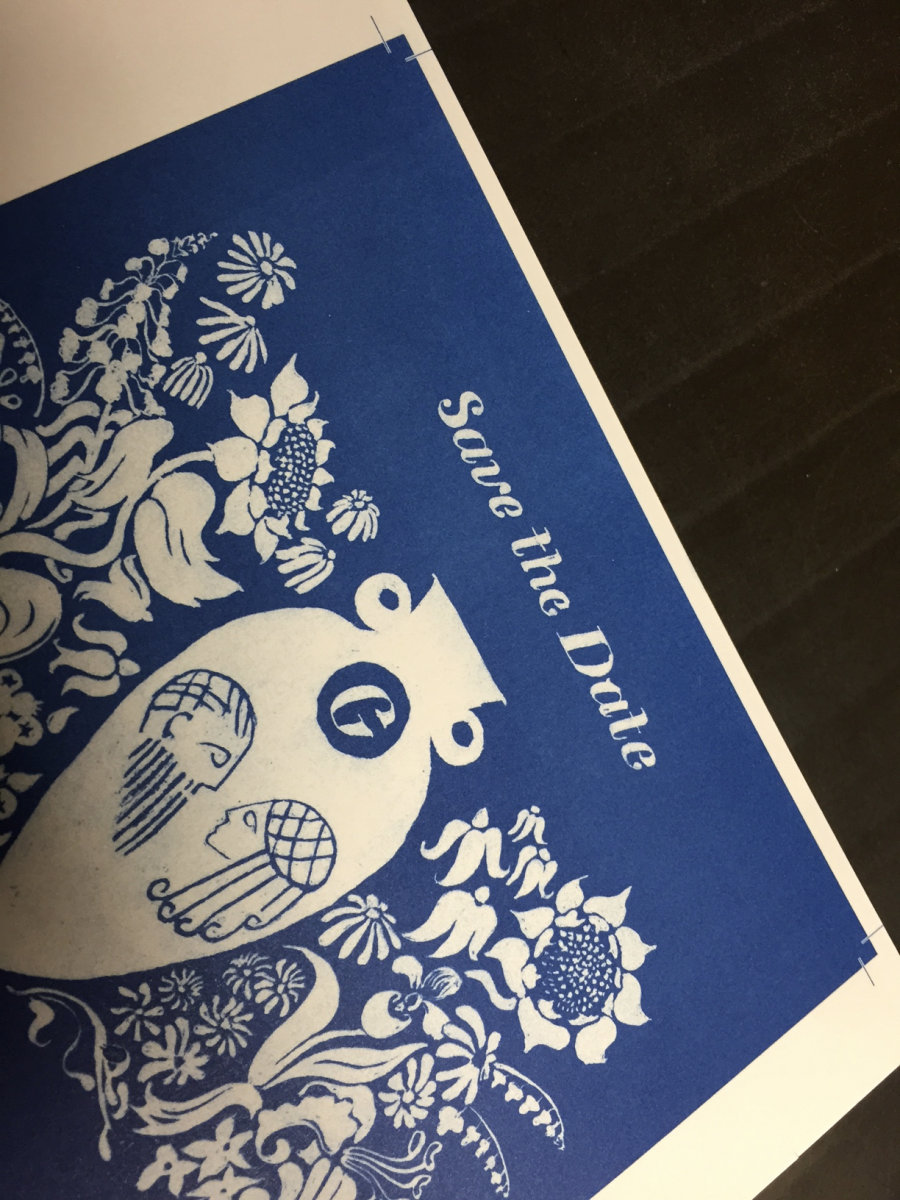
I'm running an Itek 3985 with Crestlines, and right now I'm doing a save the date postcard for a client, just one color on Mohawk 100# Eggshell cover stock. I'm having this issue where the sides of the printed image are a lot different in color, thus creating what seems to be a hard line. In the below image, I'm running a 6x9 postcard landscape, so the gripper/ink keys are along edge. What's confusing is that it seems like the keys are open enough because the edges of the sheets are pretty even all the way across. The below image is a little weird because there *is* a gradation in their file, so even though it looks like the middle just doesn't have enough ink, it does look that way in their file.
Anyway, anyone know what do about it? I've had the issue before with other, more straightforward solids where the edges always seem to be either darker or lighter than the rest of the solid and that creates a line. There's no line in the plate (which I print off our Xerox C75 digital press) and there's an appropriate amount of plate-to-blanket pressure. I tried changing blankets but still had the same issue on both. What am I missing?
Thanks,
- Lantz


